Projects, sessions, panes
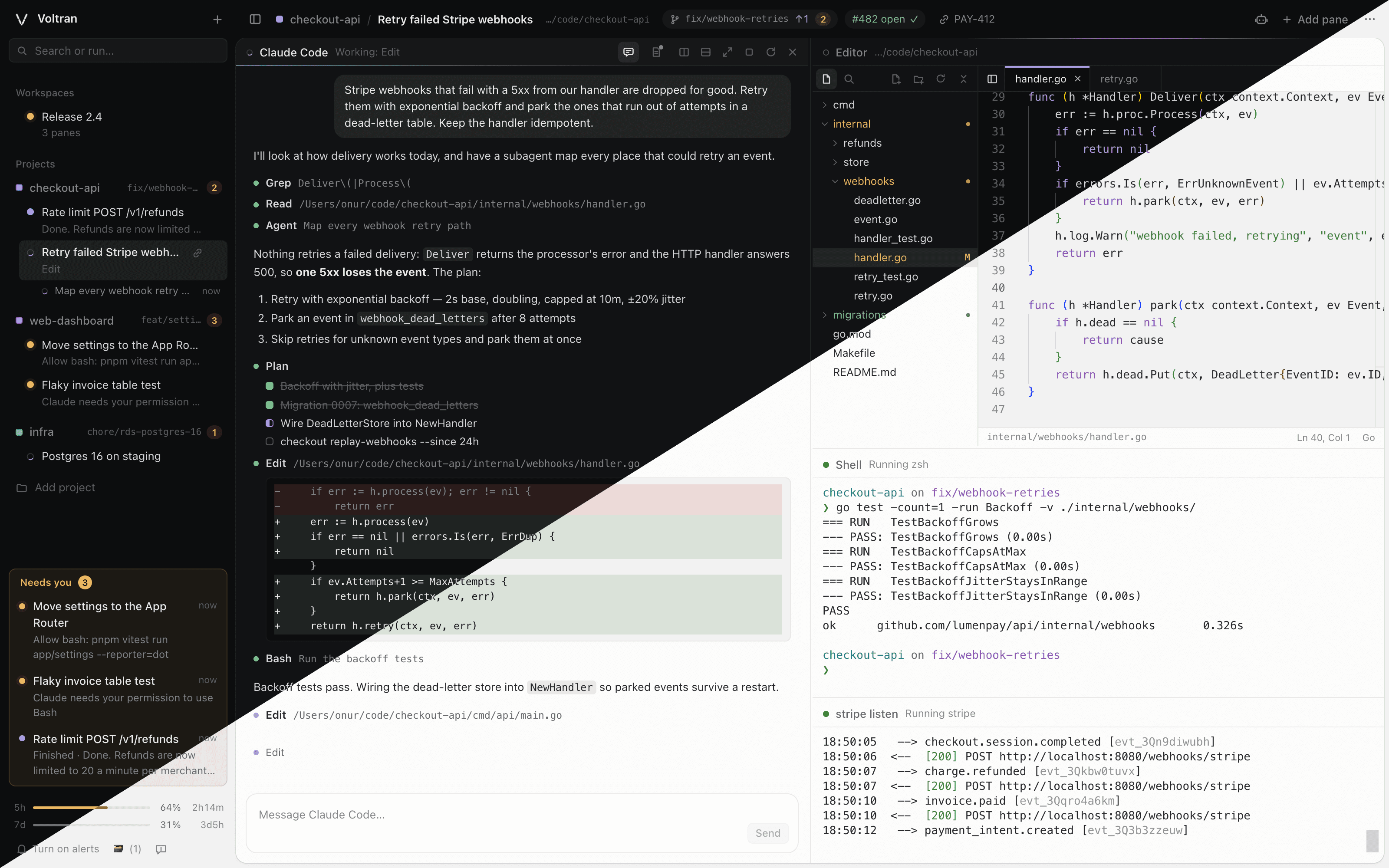
Each repo is a project, each task a session. Split a session into panes for agents, shells and dev servers, and the layout is there when you come back.
Voltran is a local workspace for Claude Code, Codex, OpenCode and your shells. Every session shows whether it’s working, finished or waiting on you, so you stop checking every terminal.
macOS and Linux. Free and open source. Other ways to install
Works with the agent CLIs you already use
Run five agents at once and you still only have to look at one list. When an agent stops to ask permission or finishes its work, it moves into Needs you.
Each repo is a project, each task a session. Split a session into panes for agents, shells and dev servers, and the layout is there when you come back.
Give a session its own Git worktree so parallel agents never step on each other. Review what changed in the diff viewer and fix things in the editor without leaving the window.
An agent can queue work for another agent in a pane of its own. Steps wait for the ones they depend on, and the tasks view shows the whole plan as a graph.
Every pane keeps a notebook you and the agent share, and every project has one all its sessions can read. They survive restarts and context compaction.
Everything runs on your machine: your processes, your keys, your repos. Voltran is Apache 2.0, so you can read it, change it and make it yours.
Install it, run voltran up, and add your first project. You’ll need macOS or Linux and Node.js 22.18 or newer.
$ brew install onurravli/tap/voltran
$ voltran up